Ambient light, strobes and video lights underwater
Expose the ambient scene first, keep any artificially lit subject close, and protect lamp or flash highlights. The foreground and background do not need to match.


The Eastern Ark wreck combines a clipped torch, locally lit growth, a shadowed diver and ambient green water in one frame.
The Eastern Ark wreck frame contains four different kinds of light and tone at once: a torch burns into the lower edge, pale growth catches some of it, the diver remains mostly dark and the open water fades into green. Turning one temperature or exposure slider cannot balance all four.
Identify what is lighting each part
Ambient light comes from the sun and changes as it travels through water.[4] In a wide scene, the foreground and distant structure can differ even when no lamp was used.
A strobe is a brief flash for still photography. A video light or dive torch is continuous. Both add broad-spectrum light only within their useful range, but they behave differently at capture.[1] A narrow torch also produces a much harder hotspot than a broad video light.
Look for a warm or bright foreground, hard local shadows, a visible beam or a rapid fall-off into cooler water. Those clues matter more than trying to assign one white balance to the photograph.
Make the ambient frame first
Before adding light, choose the viewpoint and background. With a manually controlled stills camera, set the ambient exposure first; with an automatic GoPro, frame the water you want and allow the exposure to settle.
Protect sun discs, white fins, bubbles and reflective tanks. If the surface clips, lowering Highlights later can darken the patch but cannot restore its texture.
For natural ambient colour, keep the sun behind or over one shoulder. If you shoot upwards for a silhouette or clean blue background, expect less colour on the subject and watch the bright surface carefully.
Add light to one close subject
Move the lamp close rather than trying to overpower the water from a distance. Place an external light away from the lens axis and aim the edge of its beam at the subject.[2] This reduces the amount of illuminated water directly in front of the port.[3]
Check the rear screen for these failures:
- A white hotspot with no texture
- Bright particles between camera and subject
- An orange foreground behind a red lens filter
- A lit corner with the centre still dark
- A torch beam that distracts from the subject
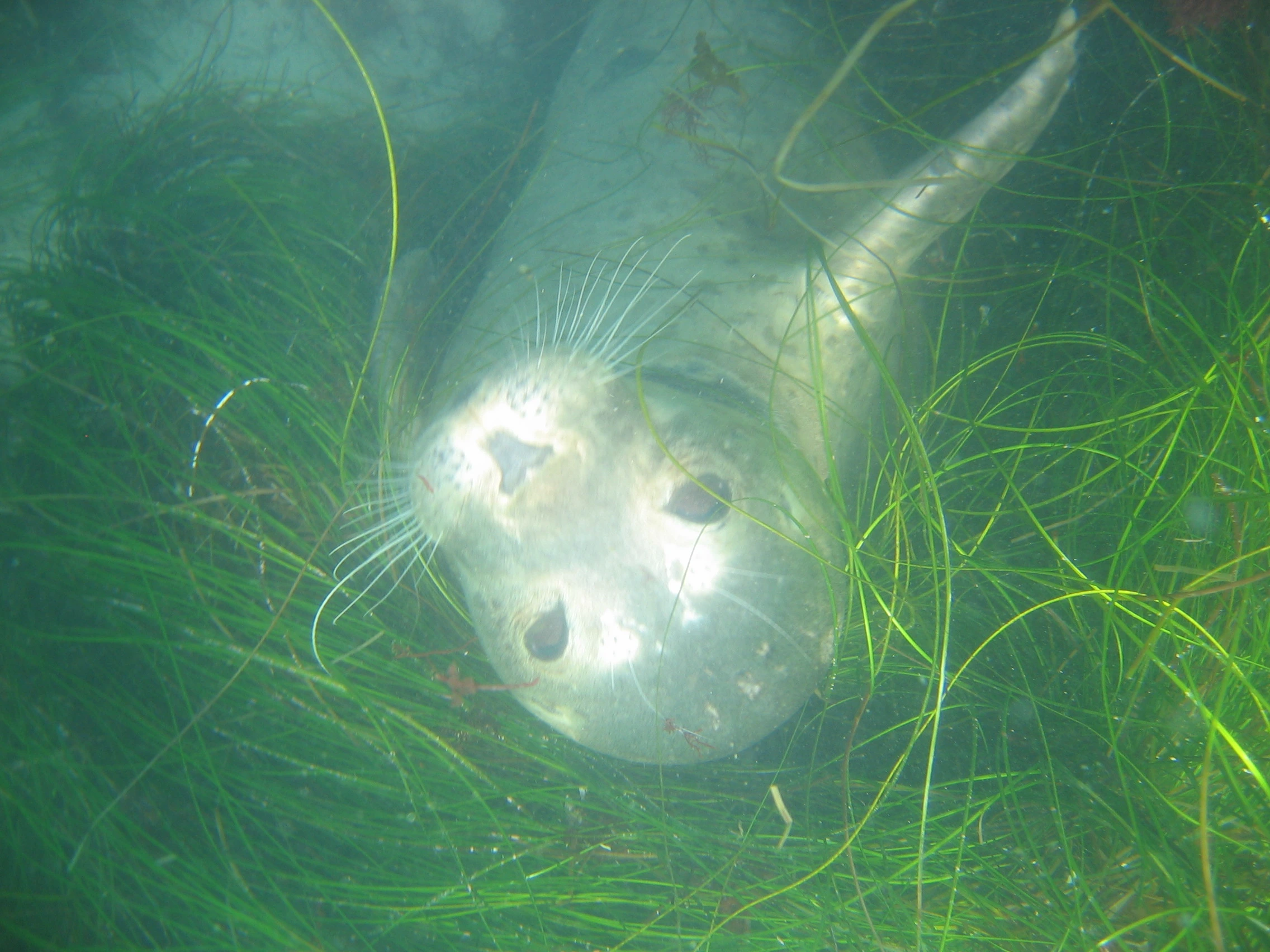
The close seal example shows the hard limit: the near-camera light clipped the muzzle. No colour restoration can rebuild whiskers or coat texture inside those white patches.
Strobes and video lights need different controls
On a manually controlled flash exposure, shutter speed within the camera’s flash-sync range mainly changes the ambient background; aperture, ISO and strobe power affect the lit foreground. Establish the water first, then raise or lower the flash.
A continuous video light does not separate that way: it contributes throughout the exposure. A rented action-camera user should control it with lamp distance, output and beam position. Do not copy a dual-strobe aperture recipe onto a GoPro and torch.
The foreground and background are allowed to differ. A nearby warm diver against cooler water describes how the scene was lit.
Restore before using finishing controls
Five Meters first produces a learned cross-channel restoration base. A separate transmission estimate lets Dehaze vary across the frame, while the water matte is reserved for the Water controls—so ambient water and lamp-lit foreground can be refined without one temperature fighting the other.
Let that automatic pass finish, then inspect the artificially lit area. Use restoration strength, Temperature and Tint for an overall refinement. Exposure and Highlights balance the remaining tones; Detail and Dehaze strengthen real edges without hardening particles into false texture. Protect highlights at capture so the restored file has clean detail to work with.